Online Induction >> Online Induction Tutorials
A company account can be registered two ways, direct by the Admin of the Online Induction Portal or inviting the Company to self register using your dedicated link.
Admin Registration :
Firstly Log into your Online Induction Portal (using an admin account) and click the "Companies" tab from your main central dashboard.
Select the Option "Register a Company" -
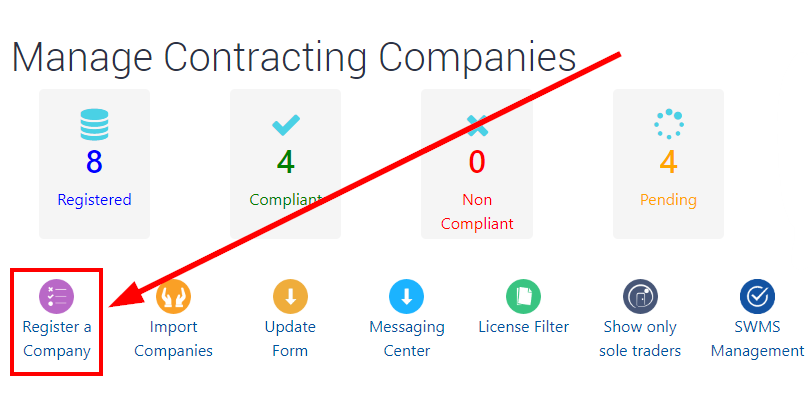
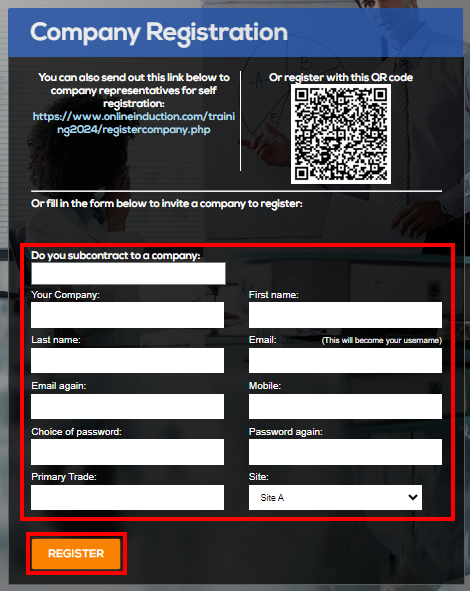
Complete the registration process on behalf of the company to create a new company account. Using this method the Admin of your portal will nominate a password and will need to provide the email address for the Company Representatives account.
Self Registration :
Simply provide the new Company Representative with your portals company invite link or QR code.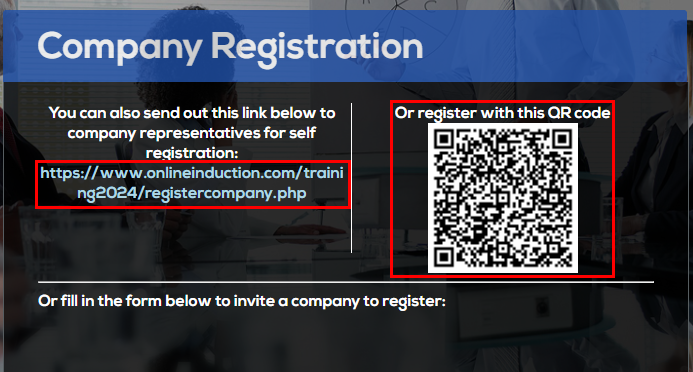
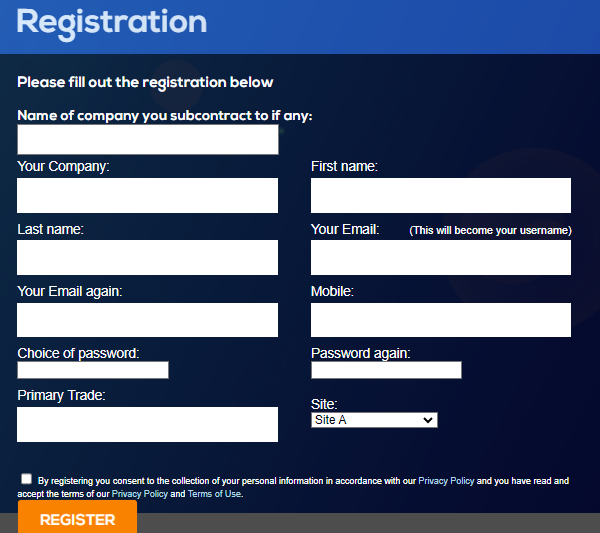
Providing your new Company Representative with you portals unique registration link or QR code will take them through to the registration page. Your Company Representative will then complete the initial registration form directly, nominating the Company Name, Representative First and Last name, Email address and password at minimum to register a company account.

Safety matters in and outside the workplace - read the full article here.
Our latest article talking about what insights and lessons learned. Check it out right here.
Check out our latest article about the best company induction design tips.
Check out our latest article about enhancing contractor management through mobile technologies.